
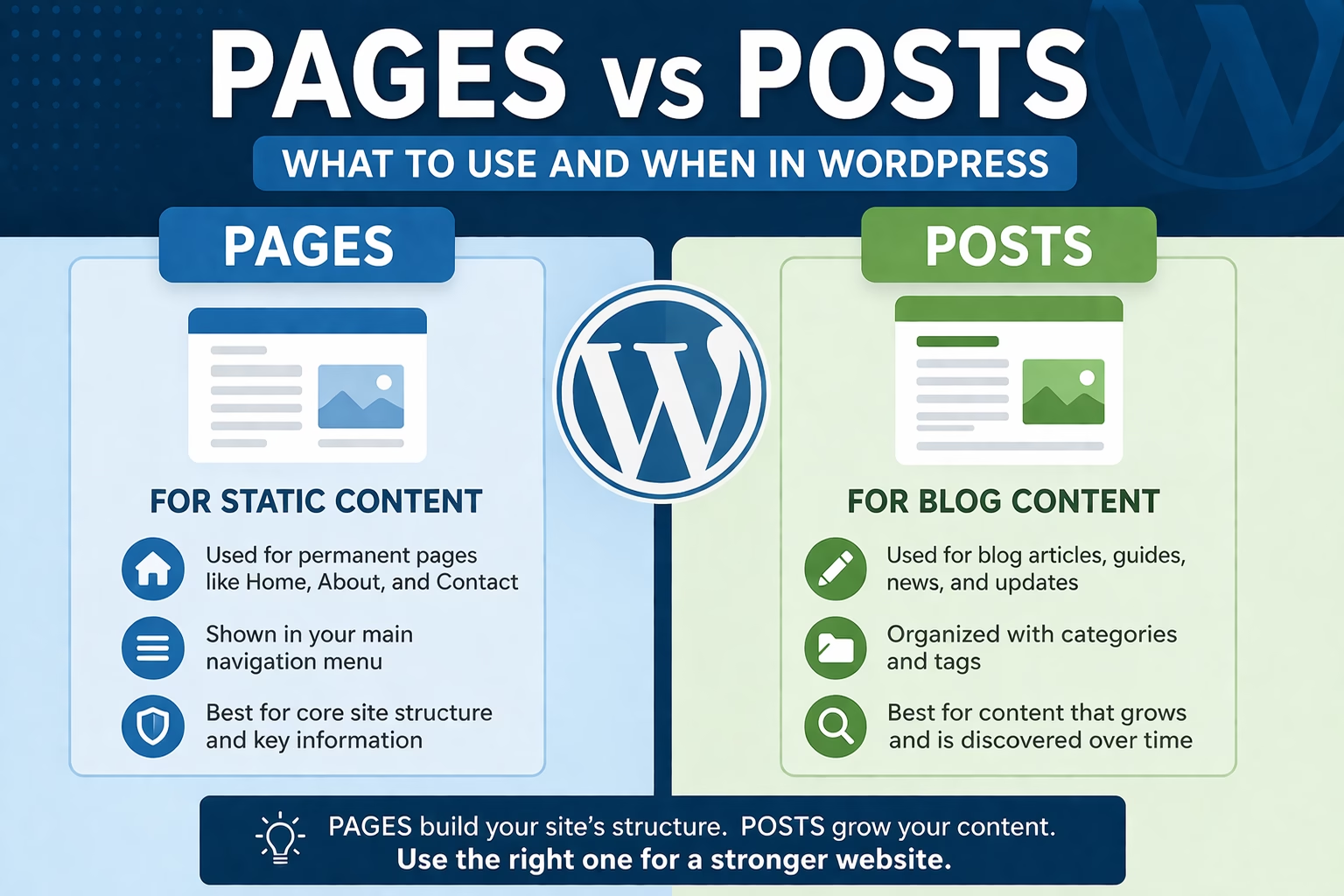
When people start building a WordPress site, one of the first confusing decisions is whether something should be a page or a post.
I see this quite often when reviewing new websites. Someone creates blog articles as pages, or builds core site content using posts, and then things start breaking down. Navigation becomes messy, categories don’t make sense, and SEO structure becomes harder to manage.
This decision affects how your site is organized, how users navigate it, and how search engines understand your content. If you’re unsure how posts are structured, this guide on organizing WordPress categories and tags explains how everything connects.
Table of Contents
Quick Answer
Use pages for static, permanent content like your homepage, about page, or services.
Use posts for content that is part of your blog or ongoing updates, organized by categories and tags.
Pages are for structure. Posts are for content.
Why This Matters
Choosing the wrong type doesn’t break your site immediately, but it creates problems over time.
If you use pages for blog content:
- You lose category and tag organization
- Your blog structure becomes difficult to scale
- Internal linking becomes less effective
If you use posts for core pages:
- Important pages get buried in blog archives
- Navigation becomes confusing
- Your site structure weakens from an SEO perspective
In most sites I build, getting this right early makes everything else easier—especially navigation, internal linking, and content planning.
Step-by-Step: How to Decide Between a Page and a Post
Step 1: Ask if the Content Is Permanent
If the content is meant to stay relevant long-term without frequent updates, it should be a page.
Typical examples:
- Homepage
- About page
- Contact page
- Service pages
These are part of your website’s core structure.
If the content is time-based or part of ongoing publishing, it should be a post.
Examples:
- Tutorials
- Guides
- Updates
- Blog articles
Step 2: Check if It Belongs in a Category
Posts can be grouped using categories and tags. Pages cannot. The official WordPress guide on posts vs pages also explains this distinction clearly.
If your content fits into a category like:
- SEO
- WordPress Setup
- Website Structure
Then it should be a post.
For example, an article like:
- “How to Choose a WordPress Theme”
belongs in a category and should be a post.
Step 3: Consider Navigation vs Discovery
Pages are usually placed in your main navigation.
Posts are typically discovered through:
- Blog pages
- Categories
- Internal links
- Search engines
If you expect users to access something directly from your menu, it’s usually a page.
If they’ll find it through reading or searching, it’s a post.
Step 4: Think About URL Structure
Pages usually have cleaner, standalone URLs:
/about//contact/
Posts often sit within a structure:
/category/post-name/
In my experience, this structure helps search engines understand how content is grouped, which is one of the reasons posts are better for articles.
Step 5: Look at Your Existing Content Structure
Before creating new content, check how your site is already organized.
If your existing tutorials are posts, keep new tutorials as posts.
If your services are pages, keep new services as pages.
Consistency matters more than perfection.
Practical Tips From Real Use
Keep Pages Limited
Most sites only need a small number of pages:
- Homepage
- About
- Contact
- Services (if applicable)
I usually recommend keeping pages focused and not turning them into long, blog-style content.
Use Posts for Growth
Posts are where your site expands over time.
Every new article, guide, or tutorial should almost always be a post. This allows you to:
- Organize content into categories
- Build internal links
- Improve SEO over time
Plan Categories Early
Since posts rely on categories, plan these before publishing a lot of content.
For example, your site already uses:
- WordPress Setup
- Website Structure
- SEO
That’s a solid foundation. Keep new posts aligned with these where possible.
Use Pages to Support Posts
Pages often act as anchors for your site.
For example:
- A “Services” page supports business content
- A “Homepage” directs users to important posts
Pages and posts should work together, not compete.
Common Mistakes to Avoid
Using Pages for Blog Content
This is one of the most common issues.
You lose:
- Category organization
- Blog archives
- Structured internal linking
Fixing this later usually requires redirects and restructuring.
Creating Too Many Pages
Some sites end up with dozens of pages that should have been posts.
This makes navigation cluttered and harder to manage.
Mixing Structure Without a Plan
For example:
- Some tutorials as pages
- Others as posts
This creates inconsistency and weakens your overall structure.
Ignoring Categories
Publishing posts without categories makes your site harder to navigate and reduces SEO clarity.
When to Use Something Else Instead
There are a few edge cases where the decision isn’t as strict.
Landing Pages
If you’re building a conversion-focused page (for ads or campaigns), it’s usually still a page—even if it feels like content.
Resource Hubs
Sometimes you might create a long, structured resource page.
In those cases, I still use a page if it acts as a central hub, and then link to related posts.
Hybrid Content
Occasionally, something could go either way.
When that happens, I usually ask:
- Will this expand into multiple related articles?
If yes → make it a post
If no → keep it a page
Conclusion
Pages define your website’s structure. Posts build your content.
Use pages for the core parts of your site that don’t change often. Use posts for everything that grows, evolves, and gets organized into categories.
If you keep that distinction clear, your site stays easier to manage, easier to navigate, and much stronger from an SEO perspective.

Etienne Basson works with website systems, SEO-driven site architecture, and technical implementation. He writes practical guides on building, structuring, and optimizing websites for long-term growth.